Guide · how the line works
VoIP codecs and noise, in plain language
By the LineSide desk · updated 2026-09-20
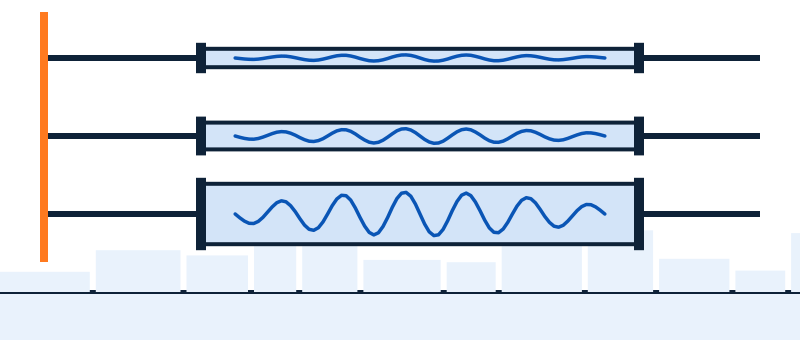
Codecs don't create background noise and they can't remove it — but they decide how bad your noise sounds when it arrives, and half of what people call "noise" on VoIP calls is actually codec-and-network artifacts wearing a disguise. Ten minutes here saves you from buying a noise filter to fix a jitter problem.
What a codec is, in sixty seconds
A codec (coder-decoder) is the compression scheme that turns your voice into a stream of small packets and back. Your softphone and the far end negotiate which one to use per call, within whatever your phone system allows. Codecs differ in two ways you can hear: how much of the sound spectrum they keep (narrowband vs wideband) and how they behave when packets go missing. That's it — everything else is engineering trivia.
The three codecs you'll actually meet
| Codec | Born | Bandwidth | What it sounds like |
|---|---|---|---|
| G.711 | 1972 (standardized for digital telephony) | Narrowband — audio sampled at 8 kHz, keeping roughly the 300–3,400 Hz band | The classic "telephone voice." Thin, midrange-only, and unkind to noise: everything your mic sends gets squeezed into the band where the ear pays most attention. |
| G.722 | 1988 | Wideband — 16 kHz sampling | "HD voice" between compatible desk phones and PBXs. Noticeably fuller; sibilants and consonants survive. |
| Opus | 2012 | Adaptive — from narrowband up to full-band 48 kHz | The modern default in WebRTC apps and many softphones. Adapts quality to your connection on the fly; the best of the three at hiding packet loss. |
Wider means more of the spectrum survives the trip, so voice and noise stay easier to tell apart.
The pattern that matters: your call is only as wide as its narrowest leg. Softphone-to-softphone inside one modern system can ride Opus end to end. The moment a call touches the public phone network — a customer's landline, a mobile carrier hop — some leg gets squeezed through G.711 or worse, and no setting on your machine changes that.
Why narrowband makes noise sound worse than it is
Direct answer: because narrowband throws away the frequencies that helped your ear separate voice from noise, then crams what's left into a thin channel where they mask each other. Three mechanisms, no math:
- Everything overlaps. In 300–3,400 Hz, your voice, the fan rumble's upper harmonics and the keyboard's clatter all fight for the same narrow lane. In wideband, they'd be spread out and separable; in narrowband they're stacked.
- Compression is democratic. The codec spends its bits on whatever the mic sends. Noise in = bits wasted encoding noise, and at G.711's fixed budget the noise gets encoded with the same fidelity as your voice.
- The ear fills gaps badly. Stripped of high-frequency cues, listeners lean harder on what remains — so residual hiss and hum, which wideband would render ignorable, become the texture of the whole call.
This is the practical argument for cleaning audio before it hits the codec — the whole premise of the three-layer fix. A filter on your machine removes the noise while the signal is still full-band and separable; nothing downstream can do it as well, and the far end's landline leg certainly won't.
Noise or network? The diagnosis table
The most useful skill on this page: telling acoustic noise (a filter's job) from transport damage (nobody's filter can help). Symptoms and their real causes:
| What you hear | What it usually is | Filter helps? |
|---|---|---|
| Steady hiss, hum, fan wash under the voice | Acoustic noise from the mic's room | YES |
| Keyboard, voices, barking, clatter | Acoustic noise — the moving kind (needs AI-class filtering) | YES |
| Crackle, pops, syllables punched out | Packet loss — audio that never arrived | NO |
| Robotic, metallic stutter; words smeared | Jitter — packets arriving unevenly, buffer struggling | NO |
| Brief underwater warble after rough patches | Loss concealment — the codec (often Opus) synthesizing over gaps | NO |
| Everything suddenly thin and "cordless-phone" | A narrowband leg or a Bluetooth profile switch — see the mic settings guide | NO |
Quick field test: does it persist when everyone stops talking and the room is quiet? Steady sound in silence = acoustic noise. Damage that only rides on speech, comes in bursts, or correlates with someone's screen-share starting = network. For network problems, the levers are boring and real — wired over Wi-Fi, fewer simultaneous uploads, and if it's chronic, whoever runs your phone system checking loss and jitter stats on the trunk.
"Can I just switch codecs to fix my audio?"
Mostly no, and it's worth knowing why. Codec choice is negotiated per call within admin-set policy: you can sometimes prefer wideband inside your own system (softphone-to-softphone calls will thank you), but you cannot force it across the public phone network, and a "better" codec does nothing about room noise anyway. The two honest wins in codec-land: make sure internal calls aren't needlessly pinned to G.711 by ancient config (an admin question, five minutes), and stop blaming the codec for what is actually a gain and device problem on your own machine.
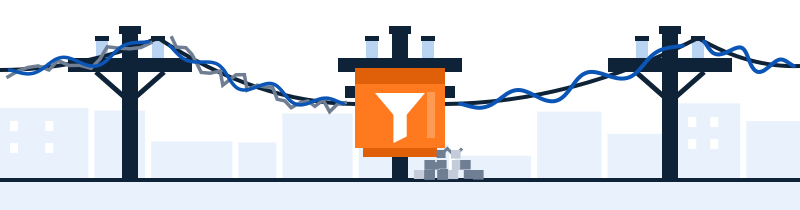
Clean it before the codec sees it
The one part of the chain you fully control is the audio leaving your machine. Krisp filters it there — full-band, before encoding, before the narrowband leg — as a virtual mic/speaker any softphone can select. 7-day free trial, no card; paid plans from $8/month billed annually (checked 2026-09-20).
Filter before the line → Sponsored line: subscribe through this button and Krisp may pay LineSide a commission. If your table row above said "network," save your money and fix the network.Quick answers
- Does a better codec reduce background noise?
- No — codecs carry sound; they don't clean it. Wideband codecs make voice and noise sound more natural, and give your ear a better chance of separating them. Removal is a filter's job, done best before encoding.
- Why do my calls sound like an old telephone?
- A narrowband leg — usually G.711 where the call touches the public phone network — or a Bluetooth headset dropping into its telephony profile. The first you mostly can't control; the second you can.
- Is crackling on calls a noise-cancellation problem?
- No. Crackle and dropouts are packet loss — audio missing in transit. No noise filter can restore audio that never arrived; that's a network conversation.
- Is "HD voice" the same thing as noise cancellation?
- No — HD voice is marketing shorthand for a wideband codec (usually G.722 or Opus) being active on the call. It makes voices fuller and gives your ear a better shot at ignoring residual noise, but nothing is being removed. The two are complementary: filter on your machine, wideband on the wire when you can get it.
- Which codec does my softphone use?
- Whatever it negotiated within your system's policy — many softphones show the active codec in call statistics. WebRTC-based clients (like the 3CX Web Client) typically favor Opus.
Now that you can tell noise from damage: the cornerstone guide fixes the noise half, layer by layer.