App guide · Zoiper & SIP softphones
Zoiper noise suppression: every audio toggle, and what it can't do
By the LineSide desk · Zoiper documentation read 2026-09-20
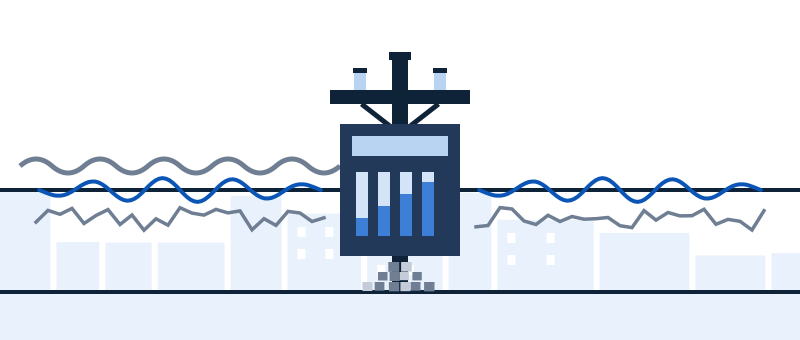
Zoiper 5 ships four audio-processing toggles, and per Zoiper's own configuration documentation three of them are already on: noise suppression (default on), echo cancellation (default on), automatic gain control (default on) and microphone boost (default off). That's classic DSP — the pre-AI kind. It's genuinely useful, it's free, and it has a hard ceiling this guide is honest about.
The four toggles, in plain language
All four live in Zoiper 5's audio settings, in the audio device selection area. What each one actually does:
- Noise suppressionON
- Echo cancellationON
- Automatic gain controlON
- Microphone boostOFF
| Toggle | Default | What it does | When to touch it |
|---|---|---|---|
| Noise suppression | ON | Estimates the steady noise floor — fan, hiss, hum — and subtracts it from your mic signal. | Leave on. Turn off only when a cleaner upstream filter (e.g. Krisp) owns the job. |
| Echo cancellation | ON | Stops your speaker's output from re-entering your mic — the "hearing themselves back" complaint from callers. | Leave on with speakers; mostly redundant on a headset. Zoiper's community has threads on toggling it when it misbehaves. |
| Automatic gain control | ON | Rides your mic level so you stay audible whether you lean in or sit back. | Leave on for most people. Turn off if your level visibly "pumps" — AGC amplifies room noise in your pauses. |
| Microphone boost | OFF | A blunt extra gain stage before everything else. | Leave off. It amplifies noise and voice equally and pushes cheap mics into distortion. If you're too quiet, fix gain properly — see the mic settings guide. |
Defaults per Zoiper 5's configuration-file documentation, read 2026-09-20. If your install behaves differently, someone changed a toggle — the table is your reset map.
What classic DSP catches — and the ceiling it hits
Zoiper's suppression is spectral subtraction-era engineering: it models steady noise and removes it. Fans, air conditioning, electrical hum, tape-hiss-style broadband noise — genuinely handled, often completely. The ceiling: anything that changes. Keyboard strikes, a slamming door, dishes, and above all other people talking — classic DSP can't distinguish those from your speech, so it either passes them through or chews your voice trying. If callers hear your kids or your open-plan neighbors, no Zoiper toggle will fix it; that's the boundary where AI-class filtering starts, and it's the honest reason the upgrade path below exists.
The same reasoning applies across the whole SIP-softphone class — MicroSIP, Linphone and friends ship the same era of DSP or less. We use Zoiper as the worked example because its documentation actually states its defaults, which is more than most.
The upgrade path: virtual device in front, DSP off behind
- Install the AI layer. Krisp registers as Krisp Microphone / Krisp Speaker system-wide. Zoiper doesn't need to support anything — it just sees another device.
- Point Zoiper at it. In audio settings, select Krisp Microphone as input (and Krisp Speaker as output if you want inbound cleanup from noisy callers).
- Hand over the job. Turn Zoiper's noise suppression off — one filter per direction. Two suppressors sharing a path is the watery-voice failure we dissect in the double-suppression note. Keep echo cancellation on if you're on speakers; it solves a different problem.
- Test with moving noise. Type while talking; have someone speak nearby. That's the class of noise you upgraded for — verify it's actually gone.
Standardizing a team of Zoiper installs
If you administer more than a couple of Zoiper seats, the same document we sourced this page from is your tool: Zoiper publishes full configuration-file documentation listing every audio option — the four toggles above included — with its type and default. That means sane audio settings can be baked into a standard config rather than walked through per desk, and a misbehaving install can be diffed against your known-good baseline instead of interrogated toggle by toggle. It's the closest thing the SIP-softphone world has to the centralized audio policy the big proprietary platforms sell — free, if you're willing to read a config file. One hedge: option names and defaults can shift between Zoiper versions, so pin your baseline to the version you actually deploy.
Respect for the free stack
Worth saying plainly on a site with affiliate links: Zoiper's built-in DSP plus a correct OS chain costs nothing and is enough for a quiet, controlled room. Zoiper doesn't pay us; neither does your OS. If your noise is a steady fan and your mic is set up properly per the mic settings guide, close this tab and keep your money. The paid layer earns its subscription only when your noise moves and talks.

When the noise talks back
Krisp adds the AI class of filtering Zoiper's DSP can't reach — voices, clatter, barking — as a virtual mic/speaker any SIP softphone can select. 7-day free trial, no card required; paid plans from $8/month billed annually (checked 2026-09-20).
Put Krisp in front of Zoiper → Sponsored line: subscribe through this button and Krisp may pay LineSide a commission. As we said above: for steady noise in a quiet room, Zoiper's own free DSP is enough, so the wallet can stay shut.Quick answers
- Does Zoiper have noise suppression?
- Yes — classic (non-AI) noise suppression, on by default in Zoiper 5 per Zoiper's configuration documentation (read 2026-09-20), alongside default-on echo cancellation and automatic gain control.
- Why do callers still hear my keyboard with suppression on?
- Because classic DSP removes steady noise, and keystrokes aren't steady. Impulsive and speech-like noise passes through — that's the category boundary, not a broken setting. An AI-class filter upstream is the fix.
- Should I turn on microphone boost if I'm quiet?
- Almost never — boost amplifies room noise and voice together and distorts cheap mics. Raise input gain properly at the OS level, get the mic closer, and let AGC do its job.
- Do these toggles exist in other SIP softphones?
- Mostly yes, under similar names — the SIP-softphone class shares the same classic-DSP toolbox. The defaults vary; Zoiper is unusual in documenting its own, which is why it's our worked example.
Where Zoiper sits against RingCentral, Dialpad, 3CX, Vonage and Aircall — including who ships real AI and who ships nothing — is mapped in the cornerstone VoIP background noise guide.